Smoke Alarm Troubleshooting
Browse USI smoke alarm troubleshooting guides for chirping, warning sounds, LED lights, battery changes, power issues, testing, cleaning, and replacement.
Related Topics:

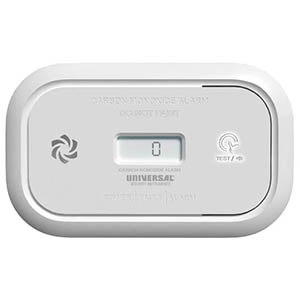
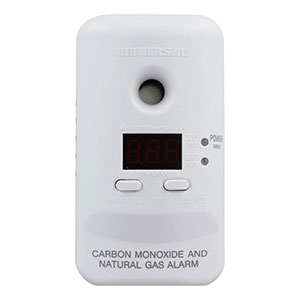
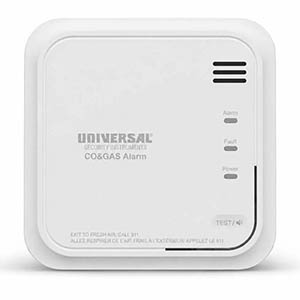
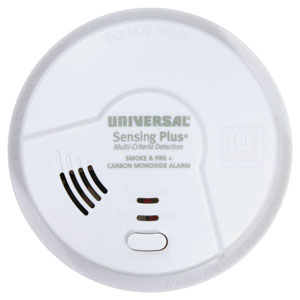
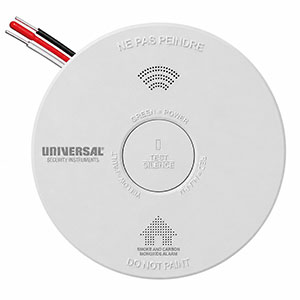
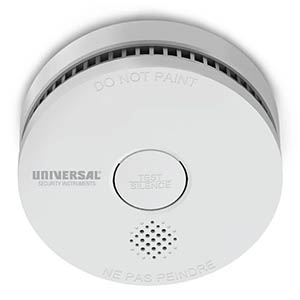
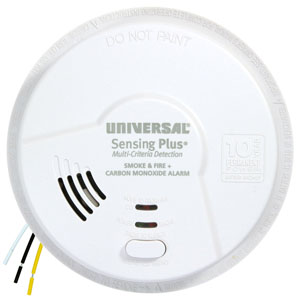
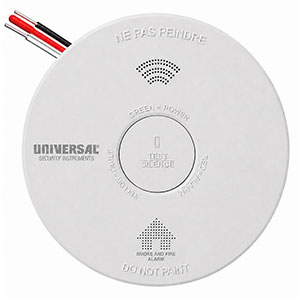
Replacing a smoke alarm battery is an important part of maintaining your home's fire protection. If your Universal Security Instruments (USI) smoke detector is chirping, displaying a low-battery warning, or due for routine maintenance, installing a fresh battery may help restore normal operation.
This guide explains how to change a USI smoke alarm battery, including battery-operated smoke detectors, hardwired alarms with replaceable battery backup, and older USI Electric models. You'll also learn which batteries are approved for certain USI alarms, how to test the detector afterward, and when the entire alarm needs to be replaced.
Active alarm warning: If your smoke detector is sounding a repeating fire alarm pattern, evacuate immediately and call 911 from outside. Do not assume the alarm is simply requesting a battery replacement.
Hardwired smoke alarms: Follow the manufacturer's electrical safety instructions. For applicable models, including the USI-5304, disconnect AC power at the circuit breaker before changing the backup battery. Never handle exposed electrical wiring.
Use the correct battery: USI smoke alarms have different battery requirements. Always check the model number and use only the approved battery types listed in the manufacturer's instructions.
Before replacing a battery, identify your smoke alarm's model number. This information is typically printed on the product label, which may be located on the back or side of the alarm.
Some USI smoke detectors use replaceable 9-volt batteries, while others feature sealed batteries that cannot be removed or replaced by the user.
| USI Model | Battery Type | Replaceable? |
|---|---|---|
| USI/SM/REP | 9V carbon-zinc battery (EVEREADY 1222 or GP1604S) | Yes |
| USI/SM/HWREP | 9V carbon-zinc backup battery | Yes |
| USI-5304 | Approved 9V alkaline or lithium battery | Yes |
| USI-5304L | Approved 9V lithium battery only | Yes |
| USI/SM/HW10YR/P | Sealed 10-year lithium backup battery | No |
| USI/SM/10YR/MINI | Sealed, non-replaceable lithium battery | No |
Important: This chart provides examples of specific USI models. Other alarms, including discontinued products, may require different batteries. Consult your alarm's user manual for the complete list of approved battery types.
Just because a battery fits your smoke detector does not mean it is approved for that model. For example, the USI/SM/REP requires a 9V carbon-zinc battery, while the older USI-5304 supports certain alkaline or lithium batteries. Using an unapproved battery may affect the alarm's performance.
Battery-operated smoke alarms rely entirely on their batteries for electrical power. For models with user-replaceable batteries, the replacement process typically involves accessing the battery compartment, installing the approved battery, and testing the alarm.
Locate the model number on the alarm label or in your product documentation. Confirm that the alarm uses a replaceable battery and identify the approved replacement type.
For example, the USI/SM/REP smoke alarm uses a replaceable 9V carbon-zinc battery. The manufacturer specifies the EVEREADY 1222 or GP1604S.
Depending on your USI smoke detector, the battery compartment may be accessible through a drawer or may require removing the alarm from its mounting bracket.
Carefully remove the existing battery from its compartment. If the battery is connected using snap terminals, disconnect it using the method described in the product manual.
Inspect the battery compartment for visible damage or corrosion. If the terminals are damaged, do not attempt an improvised repair. Contact the manufacturer or replace the alarm as appropriate.
Insert a fresh, manufacturer-approved battery into the smoke alarm.
For the USI/SM/REP, the manufacturer notes that its battery compartment may not close properly if the battery is incorrectly installed.
After installing the new battery, use the TEST or TEST/SILENCE button according to your alarm's user manual.
For the USI/SM/REP, the manufacturer instructs users to press and hold the TEST/SILENCE button for approximately two seconds to confirm activation.
The smoke alarm should produce the expected test signal. If the detector does not respond, check the battery installation and follow the manufacturer's troubleshooting instructions. Never leave a failed alarm in service without arranging for replacement protection.
Hardwired USI smoke detectors receive primary power from the home's electrical system. Many models also include a backup battery that helps maintain protection during a power outage.
If your hardwired smoke detector uses a replaceable backup battery, follow these general steps in conjunction with the instructions for your specific model.
Electrical safety: Do not disconnect or modify the household wiring harness as part of routine battery replacement. If electrical connections require inspection or repair, contact a qualified electrician.
The USI Electric 5304 is a hardwired smoke and fire alarm featuring a front-loading QUICK DRAW battery drawer. This design allows the backup battery to be accessed without removing the entire smoke alarm from its mounting bracket.
According to the USI-5304 user manual, the following procedure applies:
The manufacturer's manual lists the following replacement batteries for these models.
| Model | Battery Chemistry | Approved Battery Examples |
|---|---|---|
| USI-5304 | 9V Alkaline | Energizer 522, Duracell MN1604 |
| USI-5304 | 9V Lithium | Ultralife U9VL-J, U9VL-J-P |
| USI-5304L | 9V Lithium Only | Ultralife U9VL-J, U9VL-J-P |
The USI-5304L uses a long-life lithium backup battery, but its battery is still replaceable. This differs from newer sealed 10-year alarms with permanently installed batteries.
For additional instructions, consult the USI-5304 and 5304L User Manual.
The USI-5304 features an optional battery drawer locking pin. If this feature has been activated, the pin must be removed before opening the battery drawer. Always disconnect AC power first and follow the instructions in the original product manual.
Many newer Universal Security Instruments smoke alarms use sealed, non-replaceable batteries designed to provide power throughout the alarm's service life.
For example, the USI/SM/HW10YR/P hardwired smoke alarm features a sealed 10-year lithium backup battery, while the USI/SM/10YR/MINI uses a sealed battery as its primary power source.
These batteries are not designed to be removed or changed by the homeowner.
If your USI smoke alarm has a sealed, non-replaceable battery, do not attempt to open the housing or install a new internal battery.
When the sealed battery is depleted or the alarm reaches its specified end of service life, the entire smoke alarm must be replaced. Follow the manufacturer instructions for removal, replacement, and proper disposal.
The recommended battery replacement schedule depends on the specific alarm and battery type.
Remember that replacing the battery does not extend the service life of the smoke alarm itself. Most residential smoke alarms require complete replacement after approximately 10 years, or sooner if the manufacturer identifies a fault or an end-of-life condition.
If your smoke detector continues chirping after a battery replacement, the problem may involve something other than a weak battery.
Possible causes include:
Some USI smoke alarms use different chirping patterns to identify low batteries, sensor faults, and end-of-life warnings. A new battery will not correct an expired alarm or defective sensing component.
For additional guidance, visit our Why Is My Smoke Alarm Chirping? troubleshooting article.
The correct battery depends on the model. Some USI smoke alarms use replaceable 9V carbon-zinc batteries, while certain older models accept approved 9V alkaline or lithium batteries. Newer models may use sealed, non-replaceable batteries. Always consult your alarm's model-specific battery requirements.
For a hardwired USI alarm with a replaceable backup battery, follow the manufacturer's power-disconnection instructions, access the battery compartment, remove the old battery, install the approved replacement, and reassemble the alarm. Restore AC power and test the unit afterward. Do not handle household electrical wiring during routine battery replacement.
No. Battery requirements vary by model. For example, the USI/SM/REP specifies a 9V carbon-zinc battery, while the USI-5304 manual permits specific alkaline or lithium batteries. Using an unapproved battery type may prevent reliable operation.
Not always. Some USI models, including the USI-5304, feature an accessible battery drawer that allows battery replacement without removing the alarm from its mounting bracket. Other models may require removing the alarm to access the compartment. Follow the manufacturer's instructions for your model.
Continued chirping may be caused by an incorrectly installed battery, an unapproved battery type, a sensor malfunction, or an end-of-service-life warning. Check the exact chirping pattern and consult the alarm's manual before attempting additional troubleshooting.
No. USI alarms with sealed, non-replaceable batteries are designed to operate without user battery replacement. When the internal battery is depleted or the alarm reaches its specified end of life, replace the entire smoke alarm.
Yes. Always test your smoke alarm using the manufacturer-recommended TEST or TEST/SILENCE procedure after battery replacement. This helps confirm the alarm is responding correctly. If the alarm fails to sound, follow the model-specific troubleshooting instructions and restore reliable protection promptly.
If you need help identifying the correct battery or troubleshooting a smoke alarm after replacement, these resources can provide additional assistance.
If your smoke detector has reached the end of its service life, has an unresolved fault, or uses a depleted sealed battery, it may be time to replace the entire alarm. Universal Security Store offers battery-powered and hardwired smoke alarms for a variety of home safety applications.
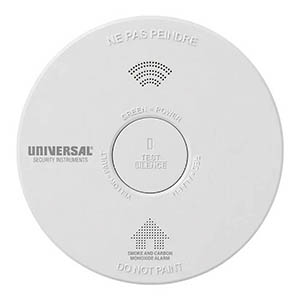
Explore related support articles and resources for this topic.
Browse USI smoke alarm troubleshooting guides for chirping, warning sounds, LED lights, battery changes, power issues, testing, cleaning, and replacement.
Contact options may differ depending on the type of help you need.