Smoke Alarm Troubleshooting
Browse USI smoke alarm troubleshooting guides for chirping, warning sounds, LED lights, battery changes, power issues, testing, cleaning, and replacement.
Related Topics:

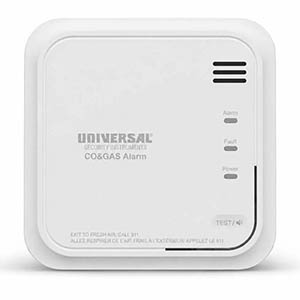
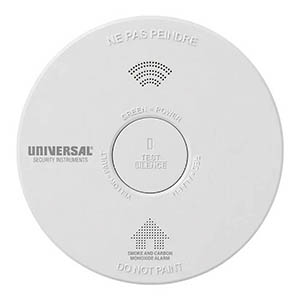
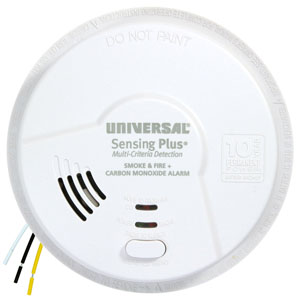
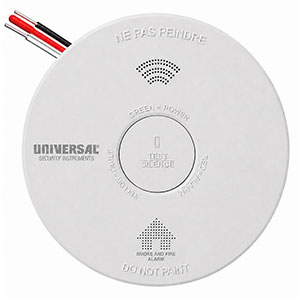
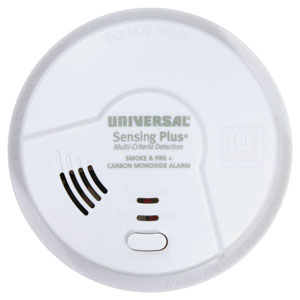
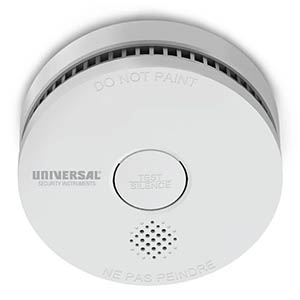
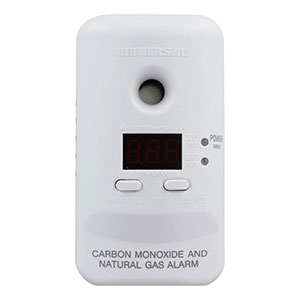
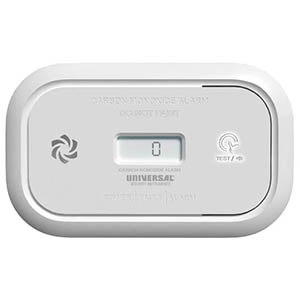
Dust, pet hair, insects, and everyday household debris can accumulate around your smoke alarm over time. If these materials obstruct the alarm's sensing openings, they may interfere with normal operation or contribute to unwanted alarm activations.
Knowing how to clean and maintain a smoke alarm is an important part of home fire safety. Regular maintenance helps keep the smoke detector's ventilation openings clear, reduces certain nuisance alarm problems, and provides an opportunity to identify batteries, power issues, or alarms that need replacement.
This guide explains how to safely clean Universal Security Instruments (USI) smoke alarms, including battery-operated, hardwired, and sealed 10-year battery models. You'll also learn which cleaning products to avoid, how often maintenance is recommended, and what to do if your alarm continues to sound unexpectedly.
Use a soft brush or vacuum: Gently remove dust, pet hair, and debris from the exterior housing and ventilation openings using a dry, soft brush or vacuum with a soft-brush attachment.
Avoid liquids and sprays: Never spray water, household cleaners, solvents, or insecticides into your smoke detector. Do not paint the alarm or block its openings.
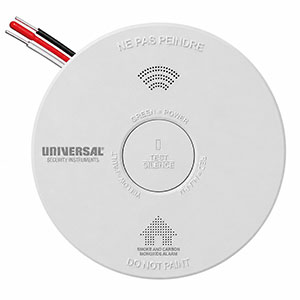
Test after cleaning: Once maintenance is complete, use the TEST or TEST/SILENCE button according to the manufacturer's instructions to confirm the alarm responds properly.
Smoke detectors are designed with openings that allow smoke particles to reach the sensing components. Over time, dust and other airborne materials may collect around these openings and affect the alarm's operation.
Routine smoke detector maintenance can help address several common concerns:
Cleaning can help reduce nuisance alarms associated with contamination, but it cannot repair a damaged sensor, resolve an electrical fault, or extend an alarm's rated service life.
For many USI smoke alarms, routine cleaning can be completed using a soft brush or vacuum attachment without opening the detector's sealed housing.
Always consult the user manual for your specific model before beginning maintenance.
Locate the model number on your USI smoke detector or in its product documentation. Different models may have different cleaning schedules and maintenance requirements.
For example, USI recommends monthly cleaning for several models, including the USI/SM/REP and USI/SM/HWREP. Other products, such as the USI/SM/10YR/MINI, specify annual cleaning using a soft-brush vacuum attachment.
Check the model-specific manual before removing the alarm from its mounting bracket or accessing any serviceable components.
Visually inspect the smoke alarm housing, focusing on the ventilation openings around the sides or face of the unit.
Look for:
If the alarm appears physically damaged or has been exposed to significant moisture, follow the manufacturer's troubleshooting instructions before relying on the device.
Use a vacuum cleaner equipped with a soft-brush attachment or a clean, dry, soft-bristled brush to remove dust and debris from the exterior of the smoke detector.
Do not disassemble the alarm or attempt to access the internal sensing components unless the manufacturer specifically provides a user-serviceable procedure.
A vacuum with a soft-brush attachment is one of the most useful tools for routine smoke alarm cleaning. Gently clean the exterior ventilation openings without inserting the nozzle or brush into the sensing chamber. USI recommends this method for several of its smoke alarm models.
Dust and debris accumulating near a smoke detector may repeatedly collect around its housing. Inspect the nearby ceiling or wall for cobwebs, dirt, and other buildup.
Clean the surrounding surface using a method suitable for the wall or ceiling, taking care to prevent moisture, cleaning sprays, or dust from entering the alarm.
Avoid spraying household cleaners or insecticides near the detector. If painting or renovation work is taking place, follow the manufacturer's instructions for protecting the alarm from contamination while maintaining required fire protection.
After cleaning, confirm that the smoke alarm remains securely mounted and that its exterior openings are unobstructed.
For hardwired USI smoke alarms, check the normal AC power indicator described in the model's manual. Many hardwired alarms use a steady green LED to indicate electrical power.
Routine exterior cleaning generally does not require disconnecting household wiring. If the manufacturer directs you to remove a hardwired alarm, follow all specified electrical safety procedures. Have electrical connections inspected or repaired by a qualified electrician.
Once cleaning is complete, test the smoke detector using its built-in TEST or TEST/SILENCE button.
If the alarm does not respond during testing, check the power, battery, and activation requirements in the product manual. Replace an alarm that continues to fail its required test after approved troubleshooting.
If your smoke alarm sounds a repeating emergency warning pattern, evacuate and call 911 from outside. Do not assume the warning is caused by dust or contamination.
Never permanently remove batteries, disconnect a hardwired alarm, or leave a smoke detector disabled to stop nuisance alarms. If a model-specific maintenance procedure requires temporary removal or power disconnection, follow the manufacturer's instructions and restore protection immediately afterward.
Using the wrong cleaning method can damage a smoke alarm or interfere with its sensing components. USI advises against using water, solvents, aerosol cleaners, and paint on applicable smoke alarm models.
| Cleaning Method | Recommended? | Reason |
|---|---|---|
| Soft-Bristled Brush | Yes | Helps remove loose exterior dust without using liquids or chemicals. |
| Vacuum With Soft-Brush Attachment | Yes | Helps collect dust, pet hair, and debris around exterior ventilation openings. |
| Water or Liquid Cleaners | No | Moisture may damage internal electronics or sensing components. |
| Household Cleaning Sprays | No | Aerosol chemicals may contaminate or damage the smoke alarm. |
| Insect Sprays or Pesticides | No | Spraying chemicals into or around the detector can affect operation. |
| Compressed Air | Not recommended unless expressly permitted by the manual | Forced air may push debris farther into the housing or affect sensitive components. |
| Opening the Sealed Housing | No | Internal sensing components are generally not intended for homeowner servicing. |
| Painting the Alarm | No | Paint can obstruct the ventilation openings and interfere with smoke detection. |
The recommended smoke alarm cleaning schedule depends on the product model and the manufacturer's instructions.
Many USI smoke alarms specify monthly cleaning with a soft brush or vacuum. However, certain products specify an annual cleaning schedule. Always follow the instructions supplied with your particular model.
| USI Smoke Alarm Model | Recommended Cleaning | Maintenance Instructions |
|---|---|---|
| USI/SM/REP | Monthly | Clean the exterior with a dry brush or vacuum. Avoid water and solvents. |
| USI/SM/HWREP | Monthly | Use a vacuum or soft brush. Do not spray cleaners or paint the unit. |
| USI/SM/10YR | Monthly | Clean with a vacuum or soft brush, following the manufacturer's instructions. |
| USI/SM/HW10YR/P | Monthly | Use a soft brush to remove dust. Keep aerosols and paint away from the unit. |
| USI/SM/10YR/MINI | Annually | Clean using a vacuum with a soft-brush attachment. Do not open the housing. |
| AMI3051SB | Monthly | Vacuum the exterior and vents. Avoid cleaning sprays and paint. |
| AMIC1510SB | Monthly | Vacuum to remove dust buildup. Do not spray chemicals near the combination alarm. |
Note: This table summarizes published manufacturer guidance for the listed models. Other USI smoke detectors, including older or discontinued products, may have different requirements. Consult the exact model's user manual for its maintenance schedule.
Yes. Dust, insects, and other contamination may contribute to nuisance alarms by interfering with the smoke detector's sensing system.
For example, USI identifies dust and insects as possible contributors to unwanted alarms on its AMI3051SB smoke detector. The manufacturer recommends vacuuming the exterior and vents when investigating this condition.
However, not every unexpected alarm is caused by dust. Cooking smoke, steam, unsuitable placement, electrical problems, and equipment faults may also be responsible.
If a USI smoke alarm continues activating unexpectedly after routine maintenance, consider these possible causes:
Never assume an active fire warning is a nuisance alarm. If the emergency alarm sounds, evacuate immediately and contact emergency services from outside.
For additional information, see our Smoke Alarm Going Off for No Reason troubleshooting guide.
Cleaning is only one part of maintaining a reliable smoke alarm. A complete maintenance routine should also include testing, battery checks, and monitoring the alarm's age.
| Maintenance Task | Recommended Schedule | What to Do |
|---|---|---|
| Test the Smoke Alarm | According to the product manual; weekly for many USI models | Use the TEST or TEST/SILENCE button and confirm the expected audible response. |
| Clean Exterior Vents | Monthly or annually, depending on model | Gently remove dust and debris with a soft brush or vacuum attachment. |
| Check Replaceable Batteries | As specified by the manufacturer and whenever a battery warning occurs | Install the approved battery type when replacement is required. |
| Check AC Power Indicator | During routine inspections | Verify that hardwired alarms display their expected power indicator. |
| Inspect Alarm Condition | During routine maintenance | Look for damage, blocked openings, moisture exposure, or unexpected warning signals. |
| Check Manufacture Date | At least annually | Confirm the alarm has not reached its specified replacement age. |
| Replace the Smoke Alarm | Generally every 10 years, or sooner when required | Replace expired, damaged, or malfunctioning alarms with appropriate compatible models. |
Record the model number, manufacture date, and last cleaning or test date for each smoke alarm in your home. A simple maintenance record can help you identify older detectors, plan battery replacements, and schedule full alarm replacement before the recommended service life expires.
Yes. Smoke alarms with sealed 10-year batteries still require regular testing and cleaning according to their manufacturer's instructions.
The term 10-year sealed battery means the internal battery is designed to operate without routine user replacement during its specified service life. It does not mean the smoke alarm is completely maintenance-free.
For example, the USI/SM/10YR manufacturer documentation recommends monthly cleaning, while the USI/SM/10YR/MINI documentation specifies annual cleaning.
Cleaning may address contamination around a smoke alarm, but it cannot correct every problem. Some conditions require replacing the entire unit.
Consider replacement when:
If your smoke alarm requires replacement, verify the installation requirements and compatibility of the new model, especially for hardwired and interconnected systems.
Regular cleaning helps maintain the alarm's exterior sensing openings, but it does not restore aging electronics or extend the manufacturer's rated service life.
Even if a 10-year-old smoke alarm appears clean and still responds to testing, it should generally be replaced. Check the manufacture date printed on the alarm label and follow the manufacturer's replacement instructions.
Use a clean, dry, soft-bristled brush or a vacuum with a soft-brush attachment to gently remove dust and debris around the alarm's exterior and ventilation openings. Do not use water, solvents, sprays, or sharp objects. Always follow your model's maintenance instructions.
Cleaning frequency varies by model. USI recommends monthly cleaning for many smoke alarms, including the USI/SM/REP and USI/SM/HWREP. Other models, such as the USI/SM/10YR/MINI, specify annual cleaning. Check your product manual for the correct schedule.
Yes. Dust, insects, and other contamination can contribute to unwanted alarm activations. Gently vacuuming the exterior vents may help when contamination is the cause. However, always treat a sounding emergency alarm as a potential fire until the hazard is ruled out.
Use a soft brush or vacuum attachment unless the manufacturer specifically approves another cleaning method. Compressed air can force dust farther into the housing or affect sensitive components, so it should not be used without model-specific authorization.
Not necessarily. Many USI smoke alarms can be cleaned around their exterior ventilation openings while mounted. If your model requires removal, follow the user manual and all applicable electrical safety instructions. Do not open a sealed housing or disconnect hardwired electrical connections unnecessarily.
A smoke alarm may continue chirping because of a low battery, sensor malfunction, electrical issue, or end-of-service-life warning. Cleaning cannot correct these conditions. Identify the warning pattern and follow the troubleshooting instructions for your USI model.
Do not open the smoke alarm housing or handle internal sensing components unless the manufacturer specifically provides a user-serviceable procedure. For routine cleaning, use the approved dry brush or vacuum method around the accessible exterior openings.
Yes. Sealed 10-year battery smoke alarms still require testing and cleaning. The sealed battery eliminates routine battery replacement, not the need for maintenance. Follow the schedule in your USI model's instructions and replace the entire unit when its service life ends.
If your smoke detector continues chirping, activates unexpectedly, or fails testing after cleaning, these resources can help you identify the problem.
If your smoke detector has reached its replacement age, continues reporting an unresolved fault, or fails testing after approved maintenance, it may be time for a new alarm. Universal Security Store carries battery-powered, hardwired, and combination smoke alarms designed for a variety of residential applications.
Explore related support articles and resources for this topic.
Browse USI smoke alarm troubleshooting guides for chirping, warning sounds, LED lights, battery changes, power issues, testing, cleaning, and replacement.
Contact options may differ depending on the type of help you need.