Smoke Alarm Troubleshooting
Browse USI smoke alarm troubleshooting guides for chirping, warning sounds, LED lights, battery changes, power issues, testing, cleaning, and replacement.
Related Topics:

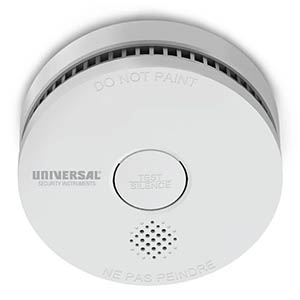
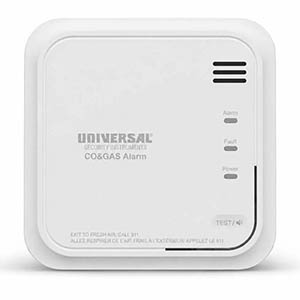
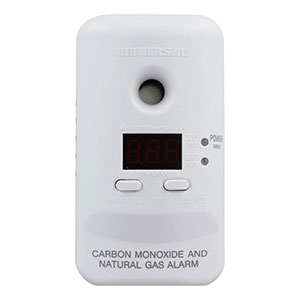
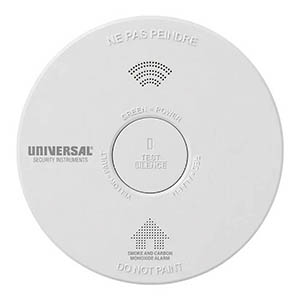
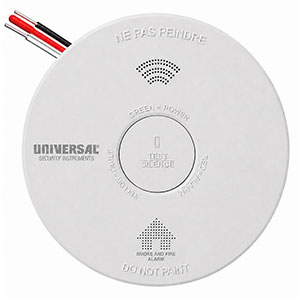
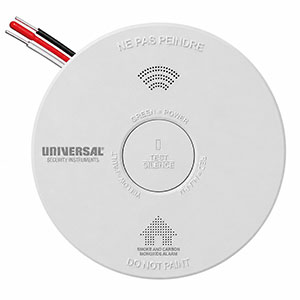
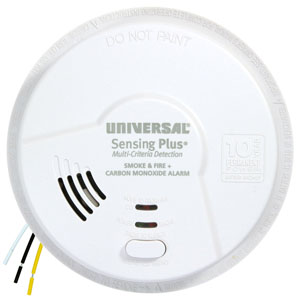
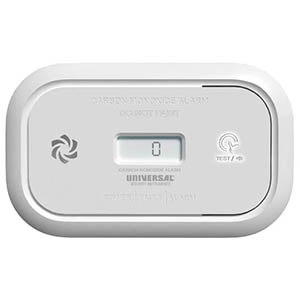
Did you replace the battery in your smoke alarm, only to discover that it is still chirping or beeping? A smoke alarm that keeps beeping after a battery change can be frustrating, especially when the new battery should have solved the problem.
For Universal Security Instruments (USI) smoke alarms, continued chirping may indicate an incorrectly installed battery, an incompatible battery type, a power issue, a sensor malfunction, or an alarm that has reached the end of its service life. This troubleshooting guide will help you identify the cause and determine what to do next.
Occasional short chirps: Usually indicate a maintenance warning, such as low battery, sensor trouble, or end of service life. These signals vary by USI model.
Three loud beeps followed by a pause, repeating: This is the standard smoke/fire alarm pattern. Evacuate immediately and call 911 from outside. On combination alarms, four repeating beeps may signal carbon monoxide. Never assume an active emergency alarm is simply a battery issue.
Replacing a low battery usually resolves intermittent chirping, but several other conditions can cause a USI smoke detector to continue making noise. The following table highlights common issues and the appropriate next steps.
| Possible Cause | What to Check | Recommended Solution |
|---|---|---|
| Incorrect Battery Type | The replacement battery may not meet the alarm manufacturer's requirements. | Use the exact battery type specified on the alarm label or in the user manual. |
| Improper Battery Installation | The battery may be loose, reversed, or not making proper contact. | Check polarity, battery connections, and the compartment door. |
| Battery Contact Problems | Contacts may be bent, damaged, corroded, or preventing a secure connection. | Inspect the contacts and follow manufacturer instructions. Replace a damaged alarm if necessary. |
| Hardwired Power Issue | The alarm may have lost AC power or have an installation problem. | Check the circuit breaker and AC power indicator. Have electrical problems inspected by a qualified electrician. |
| Sensor Malfunction | The chirping pattern may indicate a sensor fault rather than a weak battery. | Check the model-specific warning code and replace the unit when instructed. |
| End of Service Life | The alarm may be approximately 10 years old or displaying its end-of-life signal. | Replace the entire smoke alarm. A new battery will not correct an expired sensor. |
If your alarm is producing intermittent maintenance chirps and there is no active smoke, fire, or carbon monoxide warning, follow these troubleshooting steps.
Not every smoke alarm supports the same battery chemistry or size. Installing a battery that does not meet the manufacturer's specifications may result in continued chirping or unreliable operation.
For example, the USI/SM/REP battery-powered alarm and USI/SM/HWREP hardwired alarm with replaceable battery backup specify a 9-volt carbon-zinc battery, such as the EVEREADY 1222 or GP1604S.
Always check the model number before purchasing a replacement battery. Some USI smoke alarms have user-replaceable batteries, while others use sealed batteries designed to last for the alarm's service life.
A new battery will not operate correctly if it is installed backward or does not make secure contact with the alarm's terminals.
If the battery contacts are damaged or severely corroded, do not attempt an improvised electrical repair. Follow the manufacturer's service instructions or replace the alarm.
If you have a hardwired USI smoke detector with a replaceable backup battery, the alarm may chirp even while receiving household electrical power.
Many hardwired USI models have a green LED indicator that shows whether AC power is present. If the green light is off when it should be illuminated, there may be a power interruption or connection issue.
Important: Follow the manufacturer's electrical safety instructions before removing a hardwired alarm or accessing its connections. Do not handle energized wiring.
Some smoke alarms require a manufacturer-specified reset or test procedure after a battery change or power interruption. Depending on the model, this may involve the TEST/SILENCE button or another documented procedure.
Because reset instructions differ between USI models, refer to your product manual rather than using a generic reset method.
Keep in mind that resetting a smoke detector will not correct a failed sensor, depleted sealed battery, or expired alarm. If a maintenance warning continues after the appropriate procedure, investigate the warning code before attempting another reset.
Dust, insects, and other debris can interfere with smoke alarm operation. USI recommends cleaning applicable smoke alarm models using a soft brush or vacuum attachment.
After cleaning, reinstall the alarm properly and perform the manufacturer's recommended test. If a sensor fault warning continues, the alarm may need replacement.
Most smoke alarms have a recommended service life of approximately 10 years. Even if an alarm still sounds during a test, its sensing components may no longer provide reliable protection after their specified service life.
Check the manufacture date, which is generally printed on a label on the back of your USI smoke alarm.
Different Universal Security Instruments smoke alarms use different chirping patterns. A sound that indicates a low battery on one model may indicate a sensor malfunction on another.
| USI Model | Example Warning Pattern | What It Means |
|---|---|---|
| USI/SM/REP | 1 chirp every 40 seconds | Low battery. Verify the approved replacement battery and its installation. |
| USI/SM/HWREP | 1 chirp every 40 seconds | Smoke sensor fault. Replace the alarm according to manufacturer instructions. |
| USI/SM/HWREP | 3 chirps every 40 seconds | End-of-service-life warning. Replace the entire alarm. |
| USI/SM/10YR | 2 chirps every 60 seconds | End of service life. The sealed-battery alarm must be replaced. |
| USI/SM/HW10YR/P | 1 chirp approximately every 40 seconds | Low internal battery warning. The backup battery is not user-replaceable. |
These are selected manufacturer-documented examples and do not cover every USI model or warning pattern. Check the exact model number and user manual to confirm the meaning of your alarm's chirps.
Many newer USI smoke alarms use sealed, non-replaceable batteries designed to provide power throughout the alarm's service life. These products do not have a traditional user-replaceable backup battery.
If a sealed-battery alarm is chirping because its internal battery is depleted or its end-of-life warning has activated, the correct solution is generally to replace the entire smoke alarm.
A battery change will not solve every smoke detector problem. Complete replacement may be necessary when the alarm has reached its service life, reports an unresolved sensor fault, or has a depleted non-replaceable battery.
If your USI alarm continues chirping after the approved troubleshooting steps, check the product manual or contact the manufacturer for model-specific guidance. Do not permanently disconnect the alarm or leave the protected area without working smoke detection.
Your smoke detector may continue beeping because the wrong battery type was installed, the battery is not seated properly, or the alarm is reporting a sensor malfunction or end-of-life condition. Check the approved battery specifications and identify the exact warning pattern for your USI model.
A hardwired smoke alarm may continue chirping because of incorrect battery installation, a loss of AC power, or a model-specific fault warning. Check the green AC indicator, verify the correct backup battery was installed, and consult the alarm's troubleshooting guide.
Some USI smoke alarms have a model-specific reset or test procedure that should be performed after replacing a battery. Follow the instructions in your user manual. A reset will not correct an end-of-life or unresolved sensor fault warning.
Yes. Some USI smoke alarm models use intermittent chirps to indicate sensor problems or the end of the alarm's service life. The number of chirps, the interval between them, and accompanying LED indicators help distinguish these warnings.
Replace the alarm if it has reached its specified service life, has a depleted non-replaceable battery, or displays a fault that the manufacturer identifies as requiring replacement. If the problem is limited to a replaceable low battery, installing the correct new battery may resolve it.
Still having trouble with your smoke alarm? The following resources can help you identify specific warning signals and locate the correct product documentation.
If your smoke alarm has reached the end of its service life or has developed an unresolved fault, explore available Universal Security Instruments smoke and fire alarms. Choose a replacement that meets your installation and compatibility requirements.
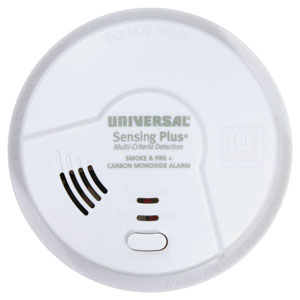
Explore related support articles and resources for this topic.
Browse USI smoke alarm troubleshooting guides for chirping, warning sounds, LED lights, battery changes, power issues, testing, cleaning, and replacement.
Contact options may differ depending on the type of help you need.