Smoke Alarm Troubleshooting
Browse USI smoke alarm troubleshooting guides for chirping, warning sounds, LED lights, battery changes, power issues, testing, cleaning, and replacement.
Related Topics:

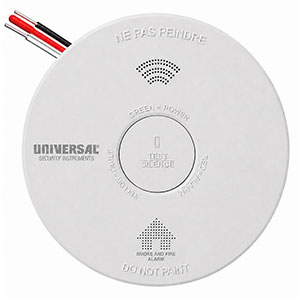
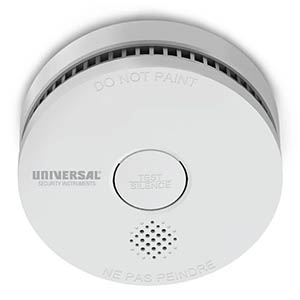
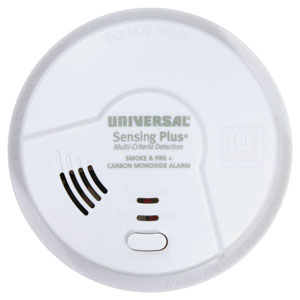
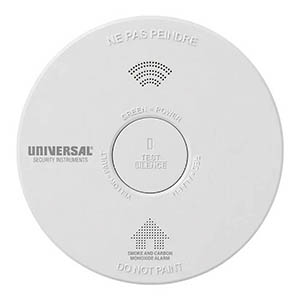
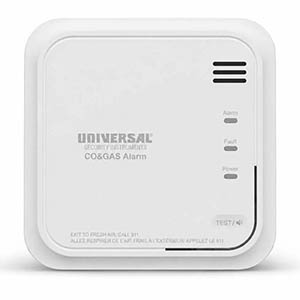
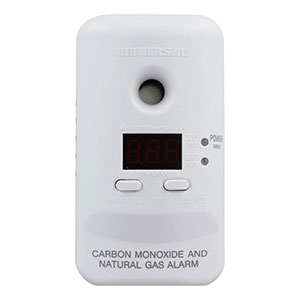
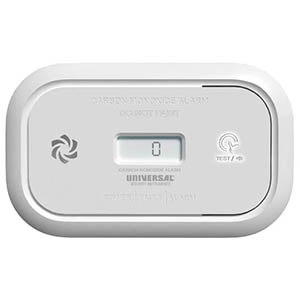
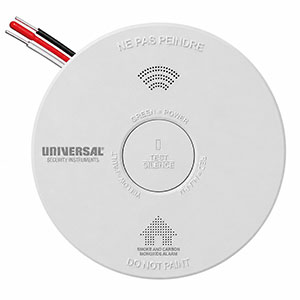
Is your Universal Security Instruments (USI) smoke alarm blinking red, displaying a steady green light, or flashing yellow? These LED indicators help communicate the operating condition of your smoke detector, including normal standby operation, electrical power status, and potential maintenance problems.
Understanding USI smoke alarm LED light meanings can help you determine whether your alarm is working normally or requires attention. However, indicator lights vary between battery-operated, hardwired, and combination alarms. The color, flashing frequency, and accompanying sounds must be considered together.
If your smoke alarm is sounding a repeating emergency alarm pattern, treat it as a possible fire regardless of the indicator light color. Evacuate immediately and call 911 from outside.
On combination smoke and carbon monoxide alarms, a CO warning also requires immediate emergency action. Do not attempt to troubleshoot flashing lights or silence an active alarm before ensuring everyone is safe.
Many Universal Security Instruments smoke detectors use red, green, or yellow LEDs to communicate their current operating status. The following chart provides a general reference for common indicator lights.
| LED Indicator | Possible Meaning | Recommended Action |
|---|---|---|
| Red Light Blinking Periodically | Normal standby indication on many USI smoke alarms. | Check your model's expected flash interval. No action is necessary if the pattern matches normal operation and there are no warnings. |
| Red Light Flashing Rapidly | May indicate an active smoke alarm or an alarm responding during testing. | If the emergency alarm is sounding, evacuate. Otherwise, identify the operating condition using the product manual. |
| Steady Green Light | Generally indicates AC electrical power is present on a hardwired smoke alarm. | Normal on models designed to display a continuous green power indicator. |
| Green Light Off | May indicate that a hardwired alarm is not receiving AC power. | Check the circuit breaker and consult the manufacturer's instructions. Contact a qualified electrician if necessary. |
| Yellow Light Flashing | May indicate a fault, maintenance warning, or end-of-service-life condition. | Identify the model and check its warning pattern. Replacement may be required. |
| LED Flashing With Chirping | May indicate low battery, sensor trouble, or an expired alarm. | Count the chirps, record the flash pattern, and compare them with the model's troubleshooting guide. |
| No Visible LED Activity | May be normal for some models or indicate a power or equipment problem. | Verify the expected standby indicator behavior and test the alarm according to its manual. |
A smoke detector that flashes red once every 40 seconds may be operating normally, while rapid red flashing accompanied by a sounding alarm can indicate an emergency. The time between flashes is just as important as the color. Record the pattern and compare it with the instructions for your USI model.
A blinking red light is one of the most common smoke alarm indicators. Depending on the model and flashing pattern, it may indicate normal standby operation, alarm testing, or smoke detection.
On many smoke detectors, a brief red flash at regular intervals indicates that the alarm is operating in its normal standby condition.
For example, the USI/SM/REP battery-operated smoke alarm uses a red LED that flashes approximately every 40 seconds during normal standby operation.
Some older USI smoke alarms flash approximately once per minute, while other models use longer intervals. A periodic red flash without chirping or other warnings is not necessarily a problem.
A rapidly flashing red LED may accompany a smoke alarm activation. On certain interconnected USI smoke alarms, the initiating alarm flashes its red indicator rapidly when it detects smoke and triggers the connected alarm system.
On applicable models, this feature helps identify which alarm initiated the warning after everyone has reached safety.
If your smoke detector normally flashes a red standby indicator but the light is no longer operating, inspect the alarm according to the manufacturer's instructions.
For example, the USI/SM/HW10YR/P troubleshooting guide addresses situations where the red LED does not flash during testing. Possible causes include an installation or power issue, or an alarm that is no longer responding correctly.
A missing red flash does not automatically confirm that an alarm has failed, since some models use different standby patterns. If the alarm also fails its required test, follow the manufacturer instructions and replace the unit when necessary.
On many hardwired USI smoke detectors, a green LED indicates that the alarm is receiving AC electrical power from the home's wiring system.
A continuously illuminated green light is generally normal for hardwired USI smoke alarms designed with an AC power indicator.
For example, the USI/SM/HW10YR hardwired smoke alarm uses a steady green LED to indicate AC power and a periodic red flash during normal standby operation.
The green power light confirms the presence of AC power; it does not replace the need to test the alarm regularly.
If a hardwired smoke alarm normally displays a steady green light but the indicator is off, the unit may have lost its AC electrical supply.
Possible causes include:
Some hardwired USI alarms include battery backup and may continue operating during an AC power interruption. However, the missing green light should not be ignored.
If the green power indicator is unexpectedly off, check whether the household circuit breaker has tripped. If AC power is not restored or an electrical connection appears faulty, contact a qualified electrician. Always disconnect power at the breaker before any manufacturer-approved electrical service, and never handle exposed energized wiring.
Some newer USI smoke alarms use a yellow LED to identify maintenance or fault conditions. Unlike a normal standby flash, a yellow warning indicator may require troubleshooting or replacement.
For example, the USI/SM/HW10YR/P troubleshooting guide identifies a flashing yellow LED associated with an end-of-service-life condition that requires replacing the alarm.
Other combination alarm models use yellow indicators for fault warnings. Therefore, a yellow light should not automatically be interpreted as a low battery warning.
Not all Universal Security Instruments smoke detectors use the same indicator lights or flash intervals. These examples illustrate differences between several current and legacy USI alarm models.
| USI Model | LED Indicator Pattern | Meaning |
|---|---|---|
| USI/SM/REP | Red LED flashes every 40 seconds | Normal standby operation |
| USI/SM/HW10YR | Steady green LED; red flashes approximately every 2 minutes | AC power present and normal standby operation |
| USI/SM/HW10YR/P | Green LED off when AC power is expected | Possible loss of AC electrical power |
| USI/SM/HW10YR/P | Yellow LED flashing | End-of-service-life warning identified in the manufacturer troubleshooting guide |
| USI-5304 and applicable legacy interconnected models | Rapid red flashing during an active alarm | Can identify the smoke alarm that initiated an interconnected alarm event |
| USI/SMCO/10YR/V | Green, yellow, and red status indicators | Green indicates power, yellow indicates a fault condition, and red indicates an alarm condition |
Important: The examples above apply to the models identified. LED meanings, flash intervals, and warning combinations may differ on other USI products or production revisions. The accompanying audible pattern and official product manual should always be used to confirm the alarm status.
If your smoke alarm is displaying an unexpected indicator light without an active emergency alarm, follow these steps to investigate the problem.
A flashing LED does not automatically mean your smoke detector needs replacement. Periodic red flashes are normal on many models, and a steady green light often indicates normal AC power.
However, an end-of-service-life warning, unresolved sensor fault, failed alarm test, or depleted non-replaceable battery may require replacing the entire unit. Check the manufacture date and follow the replacement guidance in your USI product manual.
A red LED that flashes approximately once per minute may indicate normal standby operation on certain USI smoke alarms. Some models use 40-second or two-minute intervals instead. If the alarm is also chirping or sounding a warning, check its model-specific troubleshooting instructions.
On many hardwired USI smoke detectors, yes. A steady green light indicates that the alarm is receiving AC power. If the green indicator unexpectedly turns off, check the electrical supply and consult the manufacturer's instructions.
A yellow flashing light may indicate a maintenance fault or end-of-service-life condition. For example, the USI/SM/HW10YR/P troubleshooting guide associates a flashing yellow LED with an end-of-life warning. Check the model number and manual to identify the exact condition.
A periodic red flash without beeping is often normal. Many USI models use a blinking red LED as a standby indicator. The expected interval depends on the specific alarm. Rapid or unusual flashing should be compared with the product manual.
A green light typically confirms AC power on hardwired USI models that use this indicator. It does not guarantee that the sensor and audible warning system are operating correctly. Always test your alarm according to the manufacturer instructions.
On certain USI interconnected systems, the initiating alarm flashes its red LED rapidly while the connected alarms sound. The behavior varies by model. Always evacuate first when an emergency alarm sounds, then use the manufacturer's instructions to identify the originating unit safely.
If your smoke detector is showing an unexpected LED pattern or making warning sounds, these resources can help you identify the problem.
If your USI smoke alarm is displaying an end-of-service-life warning, has an unresolved sensor fault, or is no longer operating correctly, you may need a replacement. Before purchasing, verify compatibility with your existing alarm system and installation requirements.
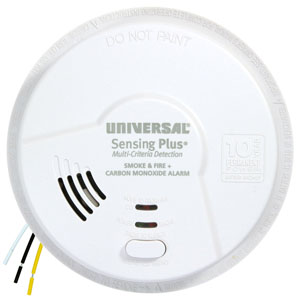
Explore related support articles and resources for this topic.
Browse USI smoke alarm troubleshooting guides for chirping, warning sounds, LED lights, battery changes, power issues, testing, cleaning, and replacement.
Contact options may differ depending on the type of help you need.