Smoke Alarm Troubleshooting
Browse USI smoke alarm troubleshooting guides for chirping, warning sounds, LED lights, battery changes, power issues, testing, cleaning, and replacement.
Related Topics:

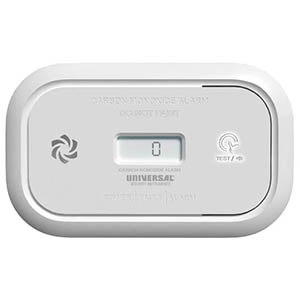
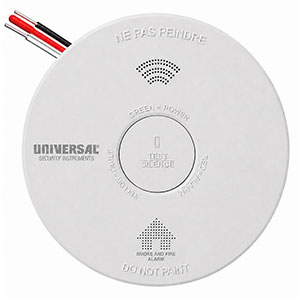
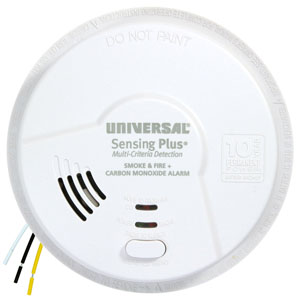
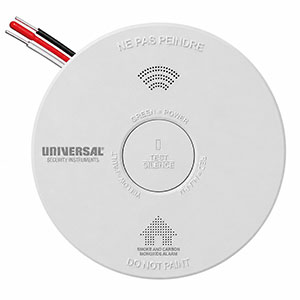
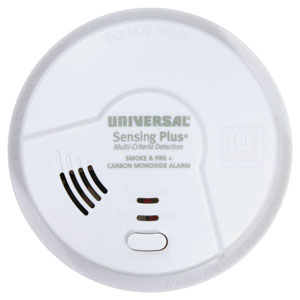
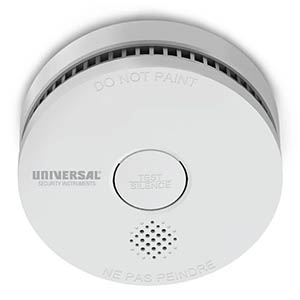
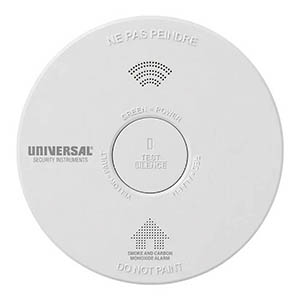
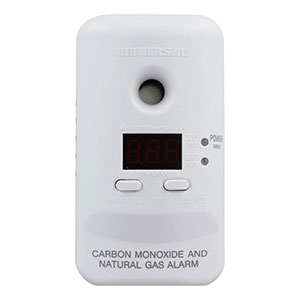
Is your Universal Security Instruments (USI) smoke alarm sounding unexpectedly, refusing to stop beeping, or continuing to display a previous alarm warning? Many USI smoke detectors include a built-in TEST/SILENCE button that can temporarily quiet nuisance alarms or reset certain stored alarm conditions.
However, silencing a smoke alarm and resetting a smoke alarm are not the same thing. Depending on the model, the silence feature temporarily reduces alarm sensitivity, while a reset clears a previous alarm indication or restores normal operation after certain conditions.
This guide explains how to silence or reset a USI smoke alarm, how the TEST/SILENCE button works, how to identify an originating alarm in an interconnected system, and what to do if your smoke detector continues sounding.
Three loud beeps followed by a pause, repeating: This is the standard smoke/fire alarm pattern. Evacuate immediately and call 911 from outside.
Four loud beeps followed by a pause, repeating: On combination smoke and carbon monoxide alarms, this may indicate a carbon monoxide emergency. Move everyone outside to fresh air and call 911.
Before using Silence or Reset: Only troubleshoot an alarm after everyone is safe and a genuine emergency has been ruled out. Never use these features simply to ignore an unexplained alarm warning.
Universal Security Instruments offers several alarm management features, but their availability and operation depend on the model.
| Feature | What It Does | When to Use It |
|---|---|---|
| Silence / Hush | Temporarily quiets a supported nuisance alarm, often by reducing smoke sensitivity for a limited period. | When a minor, non-emergency source such as light cooking smoke has been positively identified and there is no fire. |
| Reset | Clears certain stored alarm indications or returns the device from a previous alarm condition to normal operation. | After an alarm event has ended, when the manufacturer's instructions call for a reset. |
| Quick Find | Identifies the alarm that originally triggered a compatible interconnected system. | After the alarm event has ended and the area is safe, to help locate the initiating detector. |
| Test | Activates the manufacturer's prescribed test sequence to verify alarm operation. | During routine maintenance, after installation, or following approved troubleshooting. |
Some USI alarms use the same physical button for multiple functions. A short press may activate Silence, while holding the button for a specified duration may perform a test or reset. Always consult the manual for your exact model.
Many Universal Security Instruments smoke alarms include a temporary silence feature designed for certain nuisance alarms. This feature may be useful when light cooking smoke or another known, non-emergency condition briefly activates the detector.
For supported models, the following procedure generally applies.
Before attempting to silence an alarm, determine whether it may be responding to a genuine hazard.
Most newer USI smoke detectors feature a TEST/SILENCE button on the front of the alarm. Depending on the model, this may be a large center button or a smaller dedicated control.
If your home has interconnected smoke detectors, identify the initiating alarm when possible. On certain models, the originating detector displays a rapidly flashing red LED during an alarm event.
On applicable USI models, press and release the TEST/SILENCE button to activate temporary silence mode.
For example, the USI/SM/HWREP hardwired smoke alarm allows a nuisance alarm to be silenced by pressing the TEST/SILENCE button once. When the smoke concentration is sufficiently low, the alarm will quiet for approximately eight minutes.
Other models may have different button instructions or silence durations.
Silence mode is temporary. On models that reduce smoke sensitivity during this period, the alarm will gradually return to its normal detection setting.
If significant smoke remains or the alarm detects a dangerous condition, the detector may sound again before the silence period ends.
If an alarm repeatedly activates and the cause cannot be identified, do not continue using Silence to suppress the warning. Follow the manufacturer's troubleshooting guidance and seek professional assistance when appropriate.
Once the nuisance condition has cleared, verify that the smoke alarm returns to the normal standby condition described in its manual.
Check the expected LED indicators and perform the manufacturer's recommended test after any required reset or maintenance.
The USI smoke alarm silence feature does not permanently disable the device. Depending on the model, it temporarily reduces sensitivity or suppresses certain notifications. If an alarm repeatedly activates because of cooking smoke, steam, or unsuitable placement, investigate the cause rather than relying on the Silence button as a permanent solution.
The duration of Silence or Hush mode varies depending on the alarm model and the type of warning.
For example, the USI/SM/REP and USI/SM/HWREP provide approximately eight minutes of temporary nuisance alarm silence. The older USI-5304 uses an approximately 8- to 12-minute silence period.
Some USI combination smoke and carbon monoxide alarms use different temporary silence periods for different warning conditions.
Resetting a smoke detector is different from temporarily silencing a nuisance alarm. On supported models, a reset clears certain previous alarm indications, stored alarm-origin information, or other resettable conditions.
Important: There is no single reset procedure that applies to every USI smoke detector. Use the instructions for your exact model rather than following a generic power-disconnection or battery-removal procedure.
Locate the alarm's model number on its label or product documentation. This is especially important for older USI Electric alarms and newer sealed-battery products, which may use different reset procedures.
Only perform a routine reset after the original alarm condition has been resolved and it is safe to do so.
If smoke, fire, or carbon monoxide may still be present, evacuate rather than attempting a reset.
Several USI alarm models support resetting through the TEST/SILENCE button.
For example:
Do not apply these instructions to an unlisted model without checking its manual. Button functions and reset procedures may differ.
After the specified reset procedure, check that the alarm displays its normal operating indicators and is not producing an unresolved warning.
Test the smoke detector using the manufacturer-recommended test procedure. If the alarm fails testing, continues reporting a fault, or does not return to normal operation, further troubleshooting or replacement may be necessary.
The following chart summarizes selected manufacturer-documented examples. Not every USI smoke detector uses the same button sequence, silence duration, or reset function.
| USI Model | Silence Feature | Reset Information |
|---|---|---|
| USI/SM/REP | Temporary nuisance alarm silence for approximately 8 minutes. | Use the model-specific TEST/SILENCE instructions for any resettable condition. |
| USI/SM/HWREP | Press TEST/SILENCE once; approximately 8 minutes when the smoke level permits. | Consult the product manual for applicable reset procedures. End-of-life and sensor faults require replacement. |
| USI/SM/10YR | Includes a temporary nuisance alarm silence feature. | Hold TEST/SILENCE for 10 seconds to clear certain alarm-origin or silence-mode conditions. |
| USI/SM/10YR/MINI | Press the Test/Silence button for supported nuisance alarms; approximately 8 minutes of silence. | Follow the model-specific troubleshooting instructions. A depleted sealed battery or expired alarm must be replaced. |
| USI/SM/HW10YR | Press TEST/SILENCE to activate the supported nuisance alarm silence function. | Hold TEST for 10 seconds to reset according to the troubleshooting guide. |
| AMI1061SB | Includes a Silence feature for supported nuisance alarms. | Hold TEST/SILENCE for 10 seconds to reset. |
| USI-5304 / 5304L | Press and release TEST/SILENCE on the initiating alarm; approximately 8-12 minutes. | Hold TEST/SILENCE for approximately 10 seconds to clear alarm-origin memory. |
| USI/SMCO/HW10YR/P | Temporary silence is supported for specified nuisance and maintenance warnings; duration varies by warning type. | Follow the combination alarm's instructions. An end-of-life warning requires replacement. |
Note: These procedures apply to the specific model families identified. Different production revisions or alarm types may have different requirements. Consult the official user manual before attempting to reset an older or unfamiliar smoke alarm.
Many hardwired USI smoke detectors are designed to communicate with other compatible alarms. When one detector senses smoke, the entire interconnected system may sound.
After the alarm event has ended and the area is safe, certain USI models allow you to identify the originating detector using the manufacturer's Quick Find alarm origination feature.
Quick Find helps identify which smoke detector originally activated an interconnected alarm system. This can be useful when multiple alarms sounded throughout the home and the original source is not obvious.
For example, older compatible USI Electric models, including the USI-5304, support a stored alarm-origin indication.
On supported legacy USI interconnected systems, the manufacturer describes the following process:
This process is specific to compatible USI alarm systems. Do not assume that every interconnected alarm supports the same Quick Find behavior.
On supported USI Electric alarms, resetting the alarm-origin memory before using Quick Find can erase the information needed to identify the initiating detector. If you want to investigate which alarm originally triggered the system, follow the manufacturer's Quick Find procedure before clearing the stored alarm indication.
If your smoke detector continues chirping or sounding after a reset, the underlying condition may still be present. A reset does not repair a defective sensor, restore a depleted battery, correct an electrical problem, or extend the service life of an expired alarm.
The appropriate next step depends on the alarm's warning pattern and model.
| Problem | Possible Explanation | Recommended Action |
|---|---|---|
| Alarm Sounds Again Immediately | Smoke or another hazardous condition may still be present, or the alarm may have an unresolved malfunction. | Treat an unexplained active alarm as an emergency. Do not repeatedly silence or reset it. |
| Occasional Battery Warning Chirps | The battery may be depleted, incorrectly installed, or incompatible with the model. | Check the model's approved battery requirements and follow its low-battery instructions. |
| End-of-Life Warning Continues | The smoke alarm has reached its specified service life. | Replace the entire alarm. Resetting does not extend its operating life. |
| Sensor Fault Warning Continues | The sensing system may have developed an internal malfunction. | Follow the manufacturer troubleshooting procedure and replace the alarm if the fault remains. |
| Hardwired Alarm Has No Green Power Light | The alarm may not be receiving AC electrical power. | Check the circuit breaker and have unresolved electrical problems inspected by a qualified electrician. |
| Several Interconnected Alarms Keep Sounding | An originating detector may still be activated, or the system may have an interconnection problem. | Prioritize emergency safety. After the area is safe, follow the model-specific Quick Find and interconnect troubleshooting procedures. |
Some USI smoke alarms allow certain maintenance warnings to be temporarily silenced. However, temporary silence does not mean that the problem has been corrected.
For example, the USI/SM/HWREP produces an end-of-life warning of three chirps approximately every 40 seconds. The manufacturer identifies this as a condition requiring complete replacement.
Similarly, the USI/SM/10YR uses two chirps approximately every 60 seconds to indicate the end of its service life. The sealed-battery alarm must be replaced.
If an alarm is reporting a confirmed end-of-life condition, a depleted sealed battery, or an unresolved sensor malfunction, resetting the unit does not restore reliable protection.
Follow the manufacturer instructions and replace the alarm when required. Never permanently remove a smoke alarm's battery, disconnect its wiring, or disable the device simply to stop a warning sound.
The correct reset procedure depends on the model. Several USI alarms, including the USI/SM/10YR, USI/SM/HW10YR, and AMI1061SB, specify holding the TEST or TEST/SILENCE button for approximately 10 seconds to reset certain alarm conditions. Always verify the instructions for your specific detector.
If a genuine emergency has been ruled out and the detector is responding to a known nuisance condition, use the manufacturer's Silence feature. On models such as the USI/SM/HWREP, pressing TEST/SILENCE once can temporarily quiet the alarm for approximately eight minutes when the smoke concentration permits.
Silence duration depends on the model. The USI/SM/REP and USI/SM/HWREP offer approximately eight minutes of nuisance alarm silence, while the older USI-5304 provides approximately 8-12 minutes. The alarm may sound again sooner if it detects significant smoke.
No. On supported models, Silence or Hush mode temporarily reduces sensitivity or suppresses certain warnings. It is not intended to permanently deactivate the alarm. Follow the manufacturer instructions and never rely on Silence mode when a fire or other hazard may be present.
The alarm may still be detecting smoke, reporting a low battery, experiencing an electrical problem, or displaying a sensor fault or end-of-life warning. Some conditions cannot be corrected with a reset and require maintenance or complete alarm replacement.
Follow the reset procedure in your specific hardwired alarm's manual. For example, the USI/SM/HW10YR supports a 10-second TEST button reset. Do not assume that disconnecting electrical power or removing the backup battery is an appropriate reset method for every hardwired USI model.
Quick Find is a feature available on certain compatible USI alarm systems that helps identify the detector that originally triggered an interconnected alarm event. Some models use a distinctive audible test sequence to identify the originating alarm after the event has ended.
Not necessarily. A reset does not recharge a depleted battery or repair an internal fault. For alarms with replaceable batteries, follow the approved battery replacement instructions. If your detector has a depleted sealed battery or a confirmed end-of-life warning, replace the entire unit.
If your smoke detector continues sounding after the appropriate silence or reset procedure, these resources can help you identify the underlying problem.
If your smoke alarm has reached its specified service life, reports an unresolved sensor fault, or continues failing its required tests, it may need to be replaced. Verify the new model's power source, mounting requirements, wiring connector, and interconnect compatibility before purchasing.
Explore related support articles and resources for this topic.
Browse USI smoke alarm troubleshooting guides for chirping, warning sounds, LED lights, battery changes, power issues, testing, cleaning, and replacement.
Contact options may differ depending on the type of help you need.