CO/Gas Alarm Troubleshooting
Find USI carbon monoxide and natural gas alarm troubleshooting guides for beeping, warning lights, error codes, replacement, and model-specific support.
Related Topics:

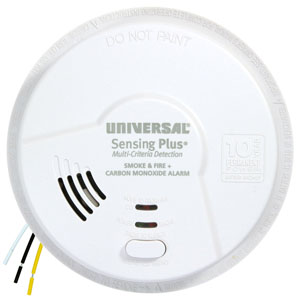
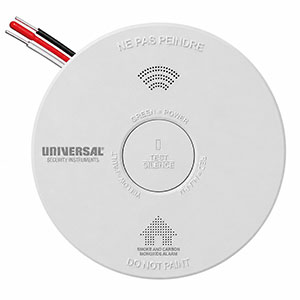
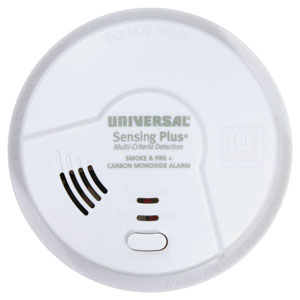
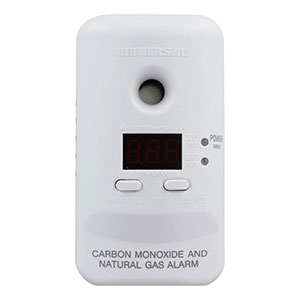
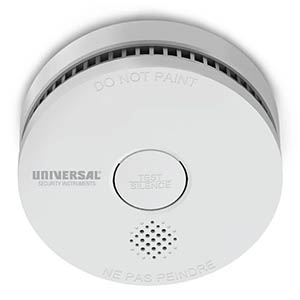
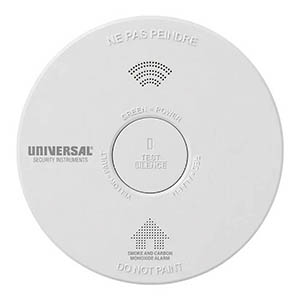
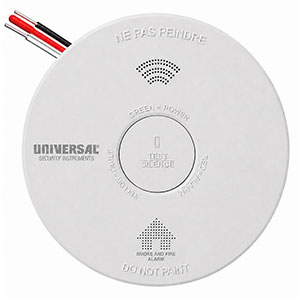
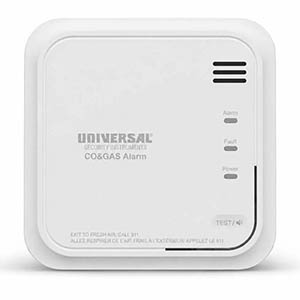
Do you own an older Universal Security Instruments (USI) carbon monoxide or natural gas alarm that is beeping, flashing an unfamiliar light, or displaying an unexpected message? Although several legacy USI Electric alarm models are being discontinued or phased out, many remain installed in homes and continue to generate troubleshooting questions.
This Legacy USI Carbon Monoxide & Natural Gas Alarm Troubleshooting Guide covers older plug-in and hardwired models, including the MCN400, MCN400B, MCND401, MCND401B, MCN108, MICN109, and MDSCN111.
Use the sections below to identify your alarm, understand its warning sounds and LED indicators, troubleshoot common problems, locate original product manuals, and review available replacement options.
Natural gas emergency: If your natural gas alarm sounds or a gas leak is suspected, immediately evacuate the building. Do not operate electrical switches, appliances, garage door openers, or anything that could create a spark. Do not use a phone inside the affected building.
Carbon monoxide emergency: If your CO alarm sounds its emergency warning, move everyone outside into fresh air immediately. Carbon monoxide is invisible and odorless and can cause serious injury or death.
Call for assistance: Once safely outside, call 911. For a suspected natural gas leak, also contact your gas utility's emergency service. Do not reenter until emergency responders or the gas utility confirm the building is safe. Never assume an unexplained alarm is simply a malfunction.
The first step in troubleshooting an older USI alarm is identifying its model number. Different models use different warning patterns, indicator lights, power sources, and replacement requirements.
The model number is usually printed on the product label or found in the original packaging or instruction manual.
| Model | Alarm Type | Power Source | Support Information |
|---|---|---|---|
| MCN400 / MCN400B | Carbon Monoxide & Natural Gas | 120V plug-in with 9V backup battery | Plug-In Alarm Troubleshooting |
| MCND401 / MCND401B | Carbon Monoxide & Natural Gas with Digital Display | 120V plug-in with 9V backup battery | Digital Display Troubleshooting |
| MCN108 | Hardwired Carbon Monoxide & Natural Gas | 120V AC with 9V battery backup | Hardwired Alarm Troubleshooting |
| MICN109 | Hardwired Smoke, Carbon Monoxide & Natural Gas | 120V AC with 9V battery backup | Hardwired Alarm Troubleshooting |
| MDSCN111 | Hardwired Smoke, Fire, Carbon Monoxide & Natural Gas | 120V AC with 9V battery backup | Hardwired Alarm Troubleshooting |
Note: Some model variations use similar components or shared instruction manuals. Always verify the exact model and manual revision before applying a troubleshooting procedure.
The MCN400 and MCND401 families are legacy plug-in combination alarms designed to detect both carbon monoxide and natural gas (methane).
The MCN400 family uses audible warnings and colored LED indicators. The MCND401 family adds a digital display for carbon monoxide readings and certain alarm messages.
These alarms use household electrical power with a replaceable 9V backup battery. The manufacturer recommends testing them weekly and replacing the entire alarm at the end of its specified service life.
The following warning patterns are documented in the MCN400 and MCND401 family manuals.
| Alarm Sound | LED / Display Behavior | Meaning | Required Action |
|---|---|---|---|
| 1 beep, 1-second pause, repeating | Blue LED flashes; digital models display "gas" | Natural gas emergency | Evacuate immediately and contact emergency services and your gas utility from outside. |
| 4 beeps, 5-second pause, repeating | Red LED flashes; digital models may show the detected CO concentration | Carbon monoxide emergency | Evacuate to fresh air and call 911. |
| 1 short chirp approximately every 40 seconds | Normal alarm LEDs otherwise remain off | Low backup battery | Check the battery installation and replace the approved 9V battery if necessary. |
| 3 short chirps approximately every 40 seconds | Service / trouble condition | Sensor or internal equipment problem | Follow the manufacturer's reset guidance. Replace the alarm if the warning remains. |
| 2 short chirps approximately every 20 seconds | End-of-service-life warning | Alarm has reached its specified operating life | Replace the entire detector immediately. |
| No sound; blue LED flashes about every 5 seconds | Blue LED periodically flashes | Stored previous natural gas alarm indication | Have any potential gas hazard evaluated before clearing the alarm memory. |
| No sound; red LED flashes about every 5 seconds | Red LED periodically flashes | Stored previous carbon monoxide alarm indication | Have any potential CO hazard evaluated before clearing the alarm memory. |
Important: These warning patterns apply to the identified plug-in alarm families. Hardwired MCN108, MICN109, and MDSCN111 detectors have different warning intervals and should be checked using their own manuals.
On these older USI combination alarms, the blue LED identifies natural gas-related conditions.
Blue light flashing with repeating beeps: The alarm is reporting a natural gas emergency. Evacuate immediately.
Blue light flashing approximately every five seconds without sound: On supported models, this is a stored gas alarm indication. The detector previously sensed natural gas and activated.
Even if the audible warning has stopped, do not assume the building is safe. Gas concentrations may change, and stored alarm memory can provide important information about a previous event.
After the potential hazard has been evaluated and the building has been confirmed safe, the stored indicator may be cleared using the manufacturer's reset procedure.
If your MCND401B or MCN400B silently flashes its blue indicator every five seconds, avoid immediately resetting the alarm. This stored indication may help identify a previous natural gas event. Have the situation evaluated before clearing alarm memory.
The MCND401 and MCND401B include a digital display that provides additional information about carbon monoxide levels and certain alarm conditions.
Understanding the display can help distinguish normal operation from a warning without assuming every displayed number or message represents an equipment error.
| Display | Meaning | What to Know |
|---|---|---|
| --- | Normal standby display | The three-dash display is expected during normal operation on supported digital models. |
| gas | Natural gas alarm condition | If displayed during an active gas warning, evacuate immediately. |
| CO reading in ppm | Detected carbon monoxide concentration | The manual describes displaying current CO readings above 40 ppm during an applicable alarm condition. |
| Peak CO reading | Highest stored carbon monoxide reading | Accessed through the PEAK/RESET button on supported digital models. |
| 000 | Peak CO memory has been cleared | Temporarily appears during the manufacturer's peak-memory reset procedure before returning to standby. |
Important: The manufacturer manual describes these display functions but does not provide a general list of numbered electronic error codes for this model family. Do not assume an unfamiliar message corresponds to an error code from a newer USI detector.
Three dashes (---) are the normal standby display on supported MCND401 digital alarm models.
This does not automatically mean the detector is broken or disconnected. During normal AC-powered operation, the green indicator should be illuminated and briefly turn off approximately every 20 seconds.
If the alarm is producing maintenance chirps, displaying unusual power indicators, or failing its required test, troubleshoot those conditions separately.
When the MCND401B detects natural gas at its alarm threshold, the display identifies the gas condition while the blue LED flashes and the horn sounds its gas warning pattern.
If you see this message during an alarm event, immediately evacuate and contact emergency services and your gas utility from outside.
Do not attempt to reset the alarm or investigate the leak while inside the building.
Digital-display MCND401 models include a Peak CO Memory function that records the highest carbon monoxide concentration detected.
On supported models, pressing and releasing the PEAK/RESET button displays the stored peak CO reading.
This can be useful when investigating a previous carbon monoxide warning, especially if the alarm stopped sounding before a professional arrived.
Do not clear a stored peak reading while a CO problem is being investigated. The original manual advises preserving this information until the appropriate investigator has checked the home.
After the building has been confirmed safe and the investigation is complete, the manufacturer specifies holding PEAK/RESET for approximately 10 seconds to clear the stored peak reading. The display briefly shows "000" before returning to normal standby.
No. A displayed zero or normal standby indication does not guarantee that every location in your home is free of carbon monoxide or natural gas.
If your detector has produced an emergency warning, follow the appropriate evacuation and professional inspection procedures. Do not rely on a normal display reading as permission to reenter the building.
A single short chirp approximately every 40 seconds indicates a low backup battery on the supported plug-in models.
Check that the original battery activation tab has been completely removed and that the battery is correctly installed.
If the warning continues, replace the 9V backup battery using a type approved in the model's manual.
The manufacturer's listed examples include:
Check the label and exact manual revision before purchasing a replacement battery.
After installing the battery, make sure the compartment is properly closed and test the alarm using the prescribed procedure.
During normal AC-powered operation, the MCN400 and MCND401 families generally display a green LED that remains on and briefly turns off approximately every 20 seconds.
When the alarm is powered by its 9V backup battery, the green LED flashes on approximately every 40 seconds instead.
If the power indicator changes unexpectedly:
The manufacturer's manual specifies that the plug-in alarm should receive continuous power from a standard, unswitched outlet. Do not rely on an extension cord or power strip as a substitute for a properly installed electrical outlet.
Three chirps approximately every 40 seconds indicate a sensor or internal service problem on the MCN400 and MCND401 families.
The troubleshooting chart provides a reset procedure for certain service conditions. However, if the warning persists after the approved procedure, the alarm must be replaced.
Because these products are older, check the alarm's installation date and replacement age before spending additional time on troubleshooting.
Two short chirps approximately every 20 seconds indicate the end of the alarm's service life.
The MCN400 and MCND401 family manuals specify an operating life of approximately seven years from initial power-up.
An end-of-service-life warning cannot be corrected by installing a fresh 9V battery or resetting the detector.
Replace the entire alarm immediately.
For the supported plug-in models, the manufacturer recommends testing the alarm weekly using the built-in TEST/CO SILENCE button.
The normal test sequence includes a natural gas warning pattern with the blue LED followed by the carbon monoxide warning pattern with the red LED.
If the alarm fails testing:
Never release natural gas, use vehicle exhaust, or expose the detector to an open flame to test its operation.
Universal Security Instruments also manufactured several hardwired combination alarms that detect carbon monoxide, natural gas, and, on certain models, smoke and fire.
These products differ from the MCN400 and MCND401 plug-in families because they connect directly to household electrical wiring and may communicate with other compatible interconnected alarms.
The MCN108 is a 120V hardwired combination carbon monoxide and natural gas detector with a replaceable 9V backup battery.
Its original user manual documents:
Unlike the plug-in MCN400 family, the MCN108 uses a different interval for its gas emergency pattern and certain service warnings.
The MICN109 is a combination hardwired detector that monitors smoke, carbon monoxide, and natural gas.
It includes separate warning indications for the different hazards, a 9V backup battery, and compatibility with specified interconnected USI alarm systems.
The manufacturer's manual identifies:
Because this model includes smoke detection, replacing it with a CO-only or gas-and-CO-only product would remove one of its original detection capabilities.
The MDSCN111 is a legacy hardwired multi-hazard alarm incorporating smoke and fire sensing, carbon monoxide detection, and natural gas detection.
Its manufacturer documentation specifies:
Although some hardwired legacy models share similar features, their exact warning signals and installation requirements are not identical.
| Warning or Problem | MCN108 / MICN109 / MDSCN111 | Recommended Action |
|---|---|---|
| No expected green AC power light | Possible AC power interruption | Check the circuit breaker and have unresolved wiring issues inspected by a qualified electrician. |
| 1 chirp approximately every 40 seconds | Low backup battery | Check the battery installation and use an approved replacement battery. |
| 3 chirps approximately every 20 seconds | Sensor trouble / service condition | Follow the model's reset instructions; replace the alarm if the warning persists. |
| 2 chirps approximately every 20 seconds | End of service life | Replace the entire alarm. |
| Other interconnected alarms do not respond | Possible compatibility, interconnection, or power problem | Check the approved model compatibility list and have the system evaluated by a qualified electrician. |
| Red or blue LED flashes after the alarm stops | Possible stored smoke, CO, or natural gas alarm indication | Have the previous hazard evaluated before clearing stored alarm information. |
Some legacy USI hardwired alarms include an interconnection feature that allows compatible units to communicate. However, different types of alarm events do not necessarily activate every detector in the system.
For example, the MCN108 manual explains that interconnected natural gas warnings are limited to compatible models capable of responding to natural gas alarm events.
This means a smoke-only alarm should not automatically be expected to sound simply because a combination detector senses natural gas.
Other possible causes of an interconnection problem include:
Check the manufacturer's approved compatibility list before replacing an interconnected detector. Interconnection wiring and household electrical repairs should be performed by a qualified electrician.
Some legacy hardwired USI alarms include the patented Quick Find alarm origination feature.
Quick Find helps identify which compatible interconnected alarm originally triggered an event. This can be useful after several detectors sounded and the original source is not obvious.
Once the area has been confirmed safe and the alarm event has ended, the manufacturer provides a TEST/SILENCE procedure to identify the originating detector.
On supported systems, the initiating detector continues sounding for a limited period following the test sequence, allowing the homeowner or technician to identify it.
Quick Find availability depends on the alarm models installed and their compatibility.
Do not reset stored alarm-origin information before investigating the source. Resetting may clear the indication needed to determine which detector originally activated.
Some older USI alarms include a reset feature that clears certain stored alarm indicators after a previous event.
For the supported MCN400 and MCND401 plug-in families, the manufacturer specifies holding the appropriate TEST/RESET or PEAK/RESET button for approximately 10 seconds to clear stored LED indications or certain resettable conditions.
Similarly, the MCN108, MICN109, and MDSCN111 manuals provide model-specific TEST/SILENCE reset instructions.
However, resetting an alarm is not the same as correcting the condition that caused it to activate.
The original MCN400/MCND401 and several legacy hardwired USI manuals specify that the natural gas alarm signal cannot be silenced through the CO Silence function.
If a natural gas emergency warning activates, evacuate and contact emergency services. Never disconnect or disable the detector to stop an active gas alarm.
Most of the legacy alarm families discussed in this guide were designed for approximately seven years of operation from initial activation.
That differs from the 10-year lifespan commonly associated with many newer alarm models.
For example, the MCN400, MCND401, MCN108, MICN109, and MDSCN111 manuals specify approximately seven years of operation before the alarm's end-of-service-life condition.
Replace your legacy detector when:
Because many of these products are older and are no longer part of the primary USI product lineup, homeowners should check their installation dates and replacement requirements rather than waiting for a warning to occur.
Do not assume an older CO and natural gas alarm has a 10-year service life simply because newer USI models offer 10-year batteries. Many legacy USI combination detectors specify replacement after approximately seven years of operation. Check your exact model's instructions and replace expired equipment promptly.
Universal Security Instruments offers newer alarm models with updated detection technologies and power options. However, replacing an older combination alarm requires considering the original detector's capabilities and installation requirements.
One newer option is the USI/NGCO/10YR, which provides carbon monoxide and natural gas detection using a sealed 10-year battery.
Before purchasing a replacement, review the following considerations:
| Legacy Alarm | Original Configuration | Replacement Considerations |
|---|---|---|
| MCN400 / MCN400B | Plug-in CO and natural gas alarm with 9V backup | Consider a current dual-hazard alarm. Verify mounting, placement, and power-source requirements. |
| MCND401 / MCND401B | Plug-in CO and natural gas alarm with digital display | Verify that the replacement provides both detection functions. Digital display and peak-memory features may differ. |
| MCN108 | Hardwired CO and natural gas alarm | Verify electrical, building-code, and interconnect requirements before switching to a battery-operated design. |
| MICN109 | Hardwired smoke, CO and natural gas alarm | Replacement protection must account for all required hazards, including smoke, CO, and natural gas. |
| MDSCN111 | Hardwired smoke, fire, CO and natural gas alarm | Verify smoke, fire, CO, and natural gas coverage, along with mounting and interconnection requirements. |
Important: The USI/NGCO/10YR is not a direct plug-in or hardwired replacement for every legacy model. It does not replace the smoke-detection function of a MICN109 or MDSCN111, and a standalone battery-powered alarm should not automatically be substituted for a required interconnected hardwired detector.
Consult the product manufacturer, a qualified installer, or your local building authority when determining an appropriate replacement configuration.
On the legacy MCND401 alarm family, one chirp approximately every 40 seconds indicates a low backup battery. Three chirps approximately every 40 seconds indicate a sensor or service problem. Check the exact number of chirps and follow the instructions for your model.
The "gas" message identifies a natural gas alarm condition on supported MCND401 digital models. If this message appears during an active alarm, evacuate immediately and call emergency services and your gas utility from outside.
Three dashes (---) are the normal standby display on the supported MCND401 digital models. The display alone does not indicate that the alarm has passed testing or that every area of the home is free of gas or CO.
A blue LED flashing with a repeating gas alarm sound indicates a natural gas emergency. A silent blue flash approximately every five seconds may indicate a previous gas alarm stored in memory. Have the potential hazard evaluated before resetting the indicator.
On the MCN400, MCND401, MCN108, MICN109, and MDSCN111 families, two chirps approximately every 20 seconds indicate an end-of-service-life condition. Replace the entire alarm.
The manufacturer provides reset instructions for certain stored alarm and service conditions. However, a reset does not resolve a persistent sensor fault or end-of-life warning. Follow the exact manual and replace the alarm if the problem remains.
Many of the legacy models covered in this guide specify approximately seven years of operation from initial activation. Check the original manual for your exact model and replace the detector if it has reached its rated service life.
The USI/NGCO/10YR provides both natural gas and carbon monoxide detection and may be a suitable newer option for some installations. However, it uses a sealed battery rather than the MCND401B's plug-in power source and may have different mounting and features. Check installation requirements before replacing your existing alarm.
Original product manuals are especially important when troubleshooting older alarms because warning sounds, indicator lights, and replacement requirements vary by model.
Many older USI Electric combination detectors have reached or are approaching the end of their specified service life. If your legacy alarm is expired, has an unresolved fault, or can no longer pass its required test, review current replacement options.
The newer USI/NGCO/10YR provides natural gas and carbon monoxide detection using a sealed 10-year battery. Before purchasing, verify that the replacement meets your home's power, installation, hazard-detection, and interconnection requirements.
Explore related support articles and resources for this topic.
Find USI carbon monoxide and natural gas alarm troubleshooting guides for beeping, warning lights, error codes, replacement, and model-specific support.
Contact options may differ depending on the type of help you need.