CO/Gas Alarm Troubleshooting
Find USI carbon monoxide and natural gas alarm troubleshooting guides for beeping, warning lights, error codes, replacement, and model-specific support.
Related Topics:

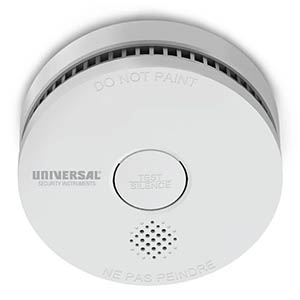
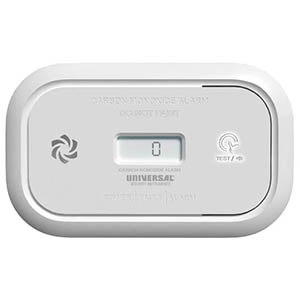
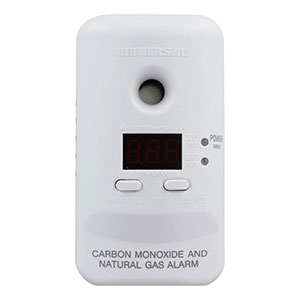
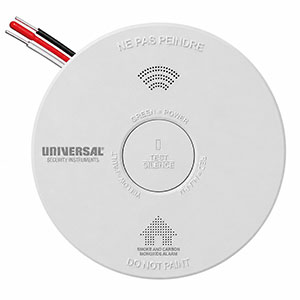
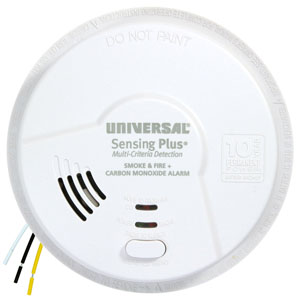
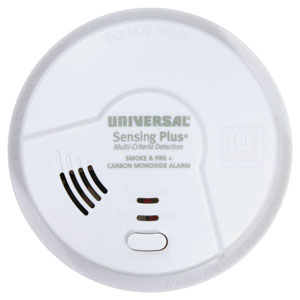
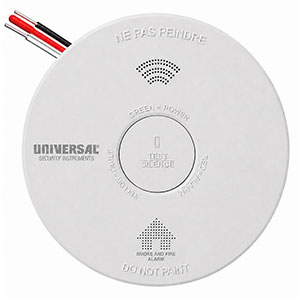
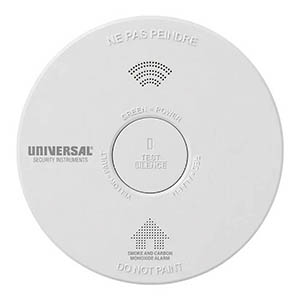
Is your Universal Security Instruments (USI) carbon monoxide alarm beeping four times, chirping every 40 seconds, or displaying a yellow warning light? Different sounds can indicate a carbon monoxide emergency, low battery, sensor malfunction, or an alarm that has reached the end of its service life.
Understanding USI carbon monoxide alarm beep codes can help you distinguish between emergency warnings and maintenance notifications. However, the number of chirps, the time between sounds, and the accompanying LED indicators can vary depending on your USI model.
This guide explains common carbon monoxide detector warning sounds, what they mean, and the appropriate actions to take for battery-powered, plug-in, hardwired, and combination USI alarms.
Four loud beeps followed by a pause, repeating continuously: This is the standard carbon monoxide emergency warning pattern used by many USI CO alarms.
Take immediate action: Move everyone outside into fresh air and call 911 or your local emergency services. Do not attempt to locate the source of the carbon monoxide before evacuating.
Do not reenter the building until emergency responders confirm that it is safe. Carbon monoxide is invisible and odorless, so the absence of smoke or an unusual smell does not mean the building is safe.
Universal Security Instruments carbon monoxide alarms use different audible patterns to communicate their operating status. The following reference chart identifies several common warnings found on specific USI models.
| Beep Pattern | Possible Meaning | Recommended Action |
|---|---|---|
| 4 loud beeps, pause, repeating | Carbon monoxide emergency warning. | Evacuate to fresh air immediately and call 911 from outside. |
| 1 short chirp every 40 seconds | Low battery warning on models such as USI/CO/REP. | Check the model's instructions and replace the approved battery promptly. |
| 2 short chirps every 40 seconds | Malfunction or fault warning on USI/CO/REP. | Follow the manufacturer's fault instructions. Replace the alarm if required. |
| 3 short chirps every 40 seconds | End-of-service-life warning on models such as USI/CO/REP. | Replace the entire carbon monoxide alarm. |
| 2 short chirps every 60 seconds | End-of-life warning on certain sealed-battery combination alarms, including USI/SMCO/10YR/V. | Replace the entire alarm. |
| 3 short chirps every 60 seconds | Sensor trouble on certain combination alarms, including USI/SMCO/10YR/V. | Follow the model-specific troubleshooting instructions and replace the alarm if the fault remains. |
| Chirping with a yellow light or voice warning | Low battery, sensor fault, or end of service life, depending on model and announcement. | Identify the exact warning using the product manual. |
Important: These beep codes are examples from specific USI models. The same number of chirps can indicate different conditions on different alarms. Always identify your model number and confirm the sound pattern using its official user manual.
Four loud beeps followed by a short pause and repeated continuously are very different from occasional maintenance chirps that occur every 40 or 60 seconds. If you are unsure whether your carbon monoxide alarm is producing an emergency warning, treat it as a potential CO hazard and evacuate.
Four loud beeps followed by a pause and repeated continuously are the standard carbon monoxide emergency pattern used by many residential CO alarms, including Universal Security Instruments models.
For example, the USI/CO/REP battery-powered carbon monoxide alarm produces four quick beeps with a repeating pause when it detects dangerous carbon monoxide conditions. Its red alarm indicator flashes along with the warning.
Combination smoke and carbon monoxide alarms may use different audible patterns to identify the detected hazard:
Do not wait to see whether the alarm stops by itself. Carbon monoxide levels can change over time, and an alarm that stops sounding does not establish that the environment is safe.
An occasional chirp approximately every 40 seconds is commonly associated with maintenance or trouble warnings on certain USI carbon monoxide alarms.
However, one chirp, two chirps, and three chirps can indicate different conditions. Counting the sounds and observing the indicator lights can help identify the problem.
On the USI/CO/REP, a single chirp approximately every 40 seconds accompanied by a yellow fault indicator identifies a low-battery warning.
This model uses two replaceable AA alkaline batteries. The manufacturer's approved examples include Energizer E91 and Gold Peak GN15A.
If your model displays a confirmed low-battery warning:
Some USI alarms include a temporary low-battery silence function. For example, the USI/CO/REP can temporarily silence certain low-battery warnings for approximately 10 hours. This does not eliminate the need to replace the batteries promptly.
On the USI/CO/REP, two short chirps approximately every 40 seconds accompanied by a yellow warning indicator identify a malfunction or fault condition.
Unlike a simple low-battery warning, a malfunction signal may indicate that the carbon monoxide detector cannot operate correctly.
Follow the manufacturer's instructions for the specific fault condition. If a malfunction remains unresolved or the manual requires replacement, replace the entire CO alarm.
On USI/CO/REP and USI/CO/PLUG models, three short chirps approximately every 40 seconds indicate that the carbon monoxide alarm has reached the end of its service life.
An end-of-life warning means the sensing components may no longer provide reliable protection.
Some Universal Security Instruments combination smoke and carbon monoxide alarms use 60-second intervals rather than the 40-second warning patterns described above.
For example, the USI/SMCO/10YR/V sealed-battery smoke and CO alarm uses:
This is why it is important not to interpret a carbon monoxide alarm based on the number of chirps alone.
For a combination alarm, also pay attention to any red or yellow indicator lights and voice messages that identify the warning.
Universal Security Instruments manufactures several types of carbon monoxide alarms, including battery-powered, plug-in, and combination smoke/CO detectors. The following table summarizes selected manufacturer-documented warning patterns.
| USI Model | Warning Pattern | Meaning |
|---|---|---|
| USI/CO/REP | 1 chirp every 40 seconds with yellow fault indicator | Low battery; replace the approved AA batteries. |
| USI/CO/REP | 2 chirps every 40 seconds with yellow fault indicator | Malfunction warning; follow fault instructions. |
| USI/CO/REP | 3 chirps every 40 seconds with yellow fault indicator | End of service life; replace the alarm. |
| USI/CO/PLUG | 1 chirp approximately every 40 seconds | Low battery warning. |
| USI/CO/PLUG | 3 chirps every 40 seconds | End-of-service-life warning. |
| USI/SMCO/10YR/V | 2 chirps every 60 seconds | End of service life; replace the sealed-battery alarm. |
| USI/SMCO/10YR/V | 3 chirps every 60 seconds | Sensor trouble warning. |
| USI/SMCO/HWREP | Yellow indicator approximately every 40 seconds with "Low Battery" voice warning | Replace the approved backup batteries. |
| USI/SMCO/HWREP | Yellow indicator flashes twice every 40 seconds with "End of Life" announcement | Replace the entire combination alarm. |
| USI/SMCO/HW10YR/P | Yellow LED with "CO Sensor Error" announcement | CO sensor fault; follow manufacturer instructions and replace if unresolved. |
| USI/SMCO/HW10YR/P | Yellow LED flashes twice every 40 seconds with "End of Life" announcement | End of service life; replace the alarm. |
Important: This table does not include every USI carbon monoxide detector or production revision. Older models such as MCND401B, MCN400B, and MDSCN111 may have different warning patterns, display indicators, or service-life requirements. Always verify the instructions for your exact model.
Many newer Universal Security Instruments carbon monoxide detectors use colored LED indicators to help distinguish normal operation from warnings.
| LED Color | Common Function | What to Check |
|---|---|---|
| Green | Normal power or operating status on supported models. | Confirm the expected standby pattern in the user manual. |
| Yellow / Amber | Battery warning, sensor fault, or end-of-life notification. | Count the chirps, observe the flash pattern, and review any voice or display warning. |
| Red | Active alarm warning on supported models. | If accompanied by the repeating CO emergency pattern, evacuate immediately. |
Indicator colors and behavior differ between models. Some older USI combination alarms use additional colors, including blue indicators associated with natural gas detection.
Do not assume an alarm is safe simply because a light appears normal or a digital display shows a low reading. If an emergency warning occurs, follow the evacuation instructions.
If your alarm is producing an occasional maintenance chirp rather than a repeating emergency warning, use the following steps to identify the condition.
Some USI carbon monoxide alarms use replaceable AA batteries, while newer models may have sealed, non-replaceable power sources. An end-of-life warning cannot be corrected by changing batteries. Always check the model's approved battery requirements and the meaning of its specific chirp pattern.
If your USI CO detector continues chirping after installing fresh batteries, the warning may be caused by an issue other than a low battery.
Possible causes include:
Follow the manufacturer's battery installation and testing instructions. If the warning indicates a confirmed sensor fault or end-of-life condition, replace the entire alarm when required.
Some USI carbon monoxide detectors include a TEST/SILENCE button that can temporarily silence certain maintenance warnings or perform a model-specific reset.
For example, the USI/CO/REP can temporarily silence certain low-battery warnings for approximately 10 hours. However, the batteries still need to be replaced promptly.
Never use a Silence or Reset function to ignore a possible carbon monoxide emergency. If the alarm is sounding the repeating CO warning pattern, evacuate and contact emergency services.
After a verified maintenance condition has been addressed, follow your model's instructions for testing or resetting the alarm. A reset will not repair a failed sensor or extend the service life of an expired detector.
Carbon monoxide alarms have a limited service life because their sensing components deteriorate with age. The replacement schedule varies between models and product generations.
For example, newer USI models such as the USI/CO/REP have a specified 10-year service life. Older USI carbon monoxide detectors may have different replacement requirements.
Replace your CO alarm when:
Low battery: On alarms with replaceable batteries, installing the correct fresh batteries may resolve the warning.
End of service life: The entire carbon monoxide detector must be replaced. Replacing batteries or resetting the alarm does not restore the sensing components.
If you are unsure which warning your alarm is producing, check the model number and consult the manufacturer's official troubleshooting instructions before continuing to use the detector.
Four loud beeps followed by a pause and repeated continuously are the standard carbon monoxide emergency warning used by many USI CO alarms. Evacuate everyone outside into fresh air, call 911, and do not reenter until emergency responders confirm it is safe.
On models such as the USI/CO/REP, a single chirp every 40 seconds accompanied by a yellow warning indicator identifies a low-battery condition. Other models may use different warning patterns, so check the alarm's manual before replacing batteries.
Two occasional chirps can indicate different conditions depending on the model. On the USI/CO/REP, two chirps every 40 seconds indicate a malfunction. On the USI/SMCO/10YR/V, two chirps every 60 seconds indicate end of service life. The exact interval and model number are essential for identifying the warning.
Three intermittent chirps can indicate a sensor fault or end-of-life condition, depending on the alarm. For example, the USI/CO/REP uses three chirps every 40 seconds for end of service life, while the USI/SMCO/10YR/V uses three chirps every 60 seconds for sensor trouble. Check the manufacturer's instructions for your model.
A yellow or amber indicator can accompany low-battery warnings, sensor faults, and end-of-life alerts on supported USI models. Count the chirps, note the flash interval, and check any voice or digital messages to identify the condition.
Yes. Carbon monoxide concentrations may change, and an alarm may stop sounding after the detected conditions change. This does not prove that the building is safe. If the alarm has produced an emergency CO warning, evacuate and contact emergency services even if the sound stops.
A standard carbon monoxide alarm detects CO, not natural gas or methane. Some Universal Security Instruments combination products include separate natural gas detection capabilities. Check your model's specifications to determine which hazards it is designed to monitor.
Certain USI models allow temporary silence of a low-battery warning. For example, the USI/CO/REP provides an approximately 10-hour low-battery silence feature under supported conditions. This is temporary and does not eliminate the need to install fresh approved batteries.
If your carbon monoxide detector is producing an unfamiliar warning or continues chirping after maintenance, the following resources can help you locate more detailed information.
If your carbon monoxide detector has reached the end of its service life, reports an unresolved sensor malfunction, or uses a depleted sealed battery, it may need to be replaced. Universal Security Store offers battery-powered, hardwired, plug-in, and combination carbon monoxide alarms for different installation requirements.
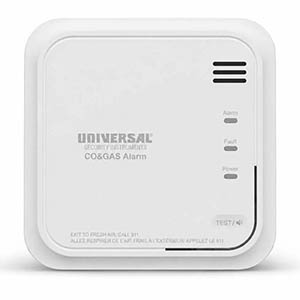
Explore related support articles and resources for this topic.
Find USI carbon monoxide and natural gas alarm troubleshooting guides for beeping, warning lights, error codes, replacement, and model-specific support.
Contact options may differ depending on the type of help you need.